Writing gets the credit. Proofreading earns the trust.
Every client I write for gets a second pass before anything goes live. I read for grammar, but I also read for the small things a fast first draft misses: a fact that no longer matches the live page, a sentence that reads well in a document but strangely once it is published, a line that repeats itself on the page above it.
Two of the pieces below went through this exact process before they were published for Momoh Jimoh & Associates: the real estate valuation guide and the firm's About page copy.
One small fix. Read it before, then read it after.
Before I walk you through the steps, look closely at a before and after sample below, and what actually changed. This is a part, and real proofread blog introduction copy i did for Momoh Jimoh & Associates.
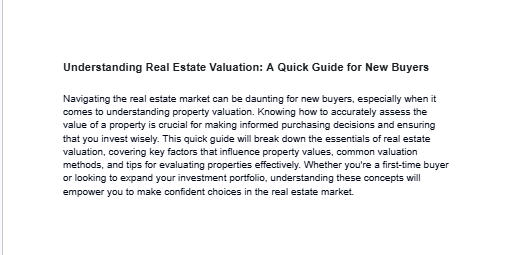
The first draft. Longer, and missing the personal touch the client wanted.
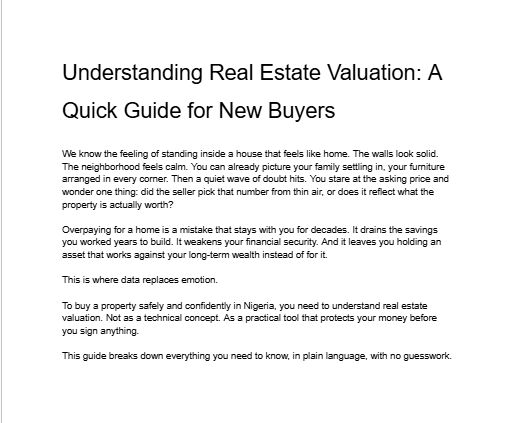
Shorter, warmer, and ready to publish.
Check my entire process ↓
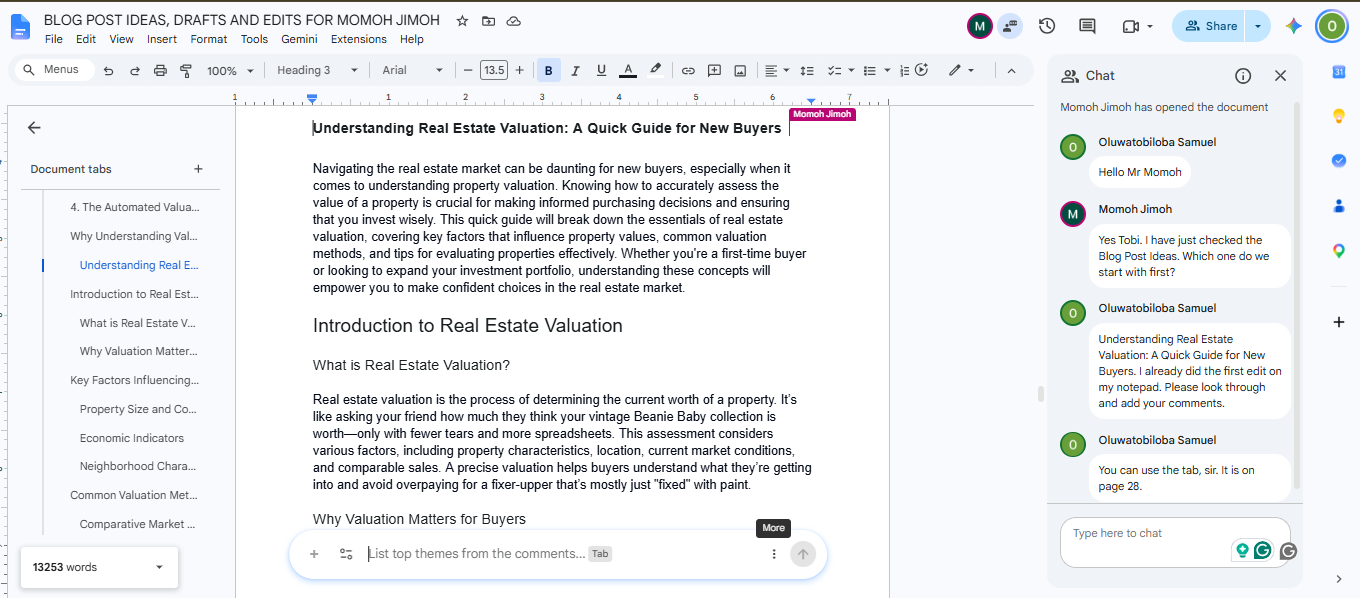
The client receives my draft and sends a chat.
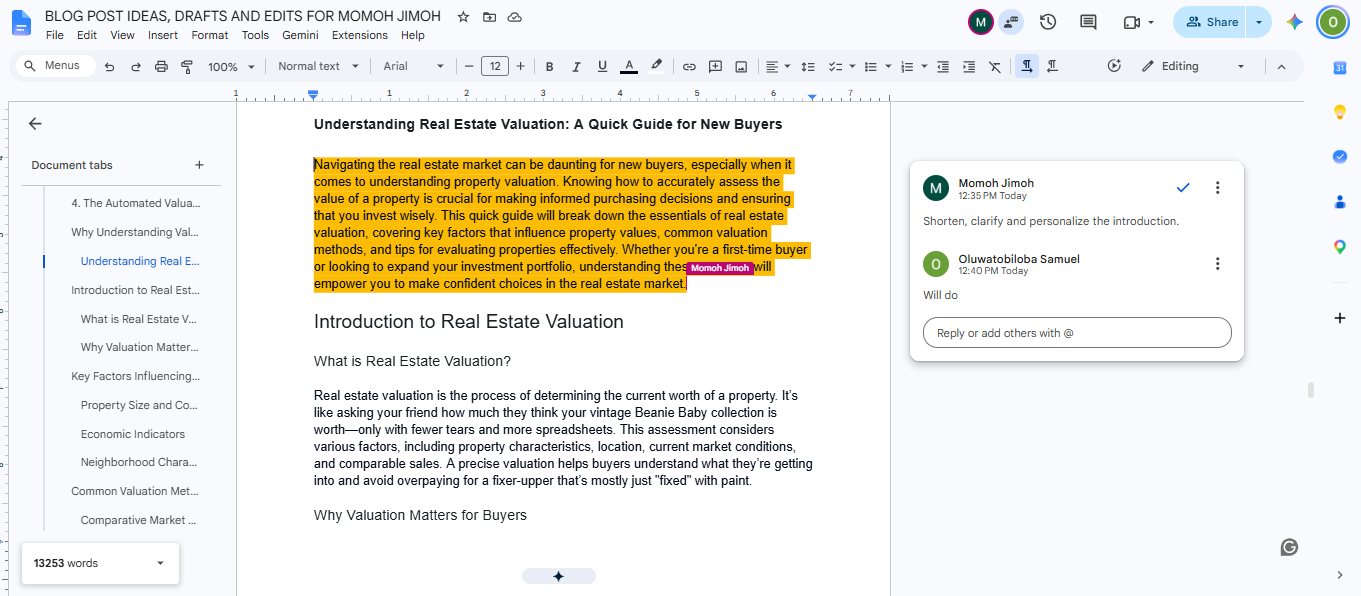
Client requested a more personal, shortened introduction.
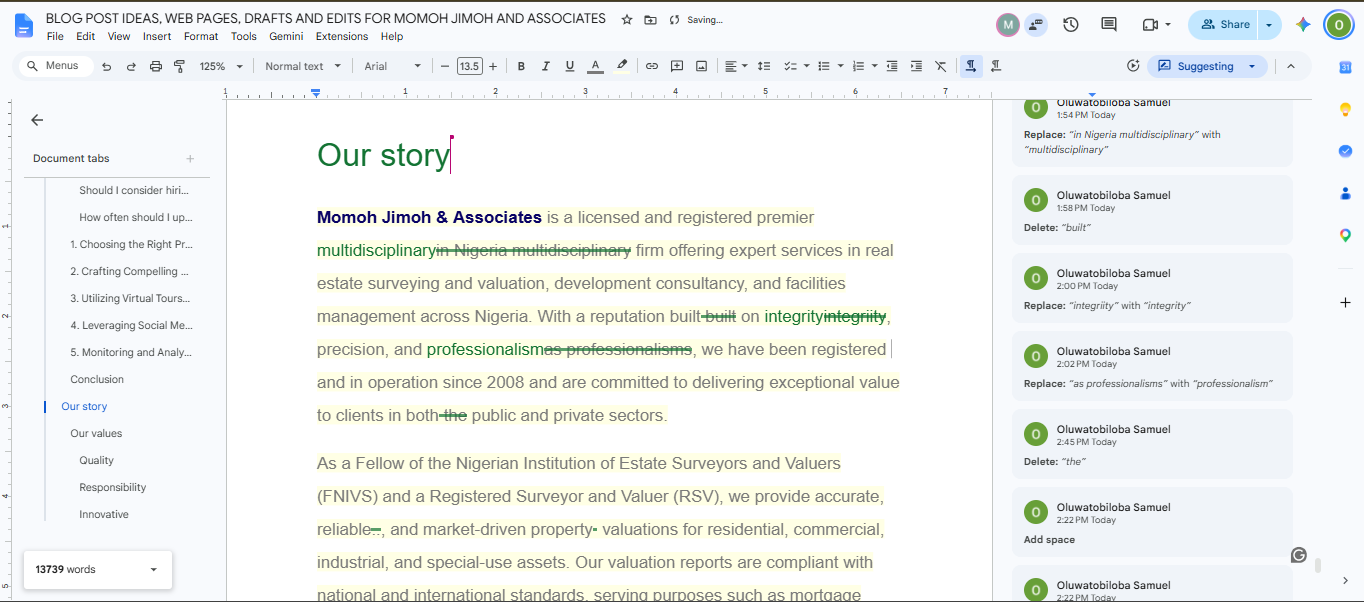
All changes are well tracked for revision.
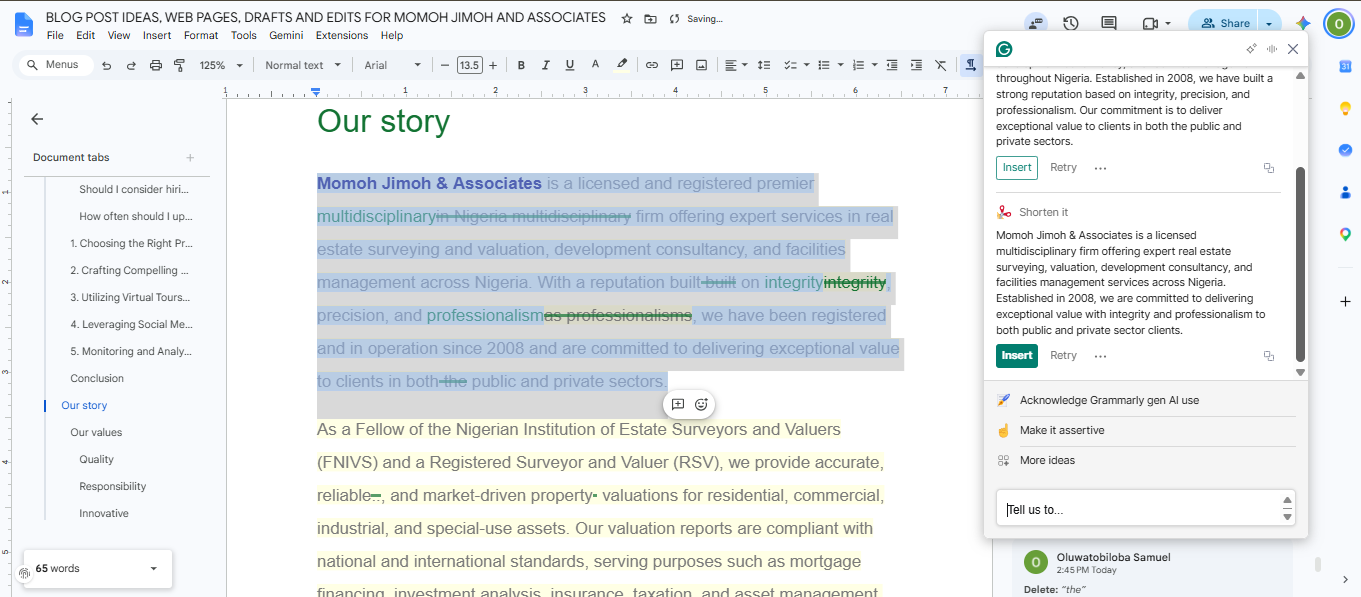
Grammarly is used if the clients permit.
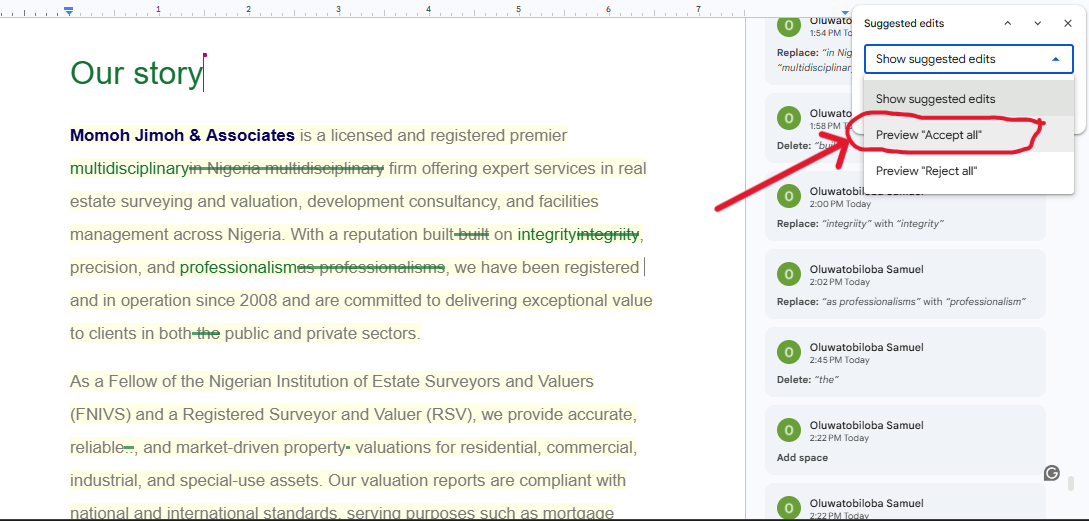
I use "preview accept all" to catch all mistakes, then take a last look before publishing.
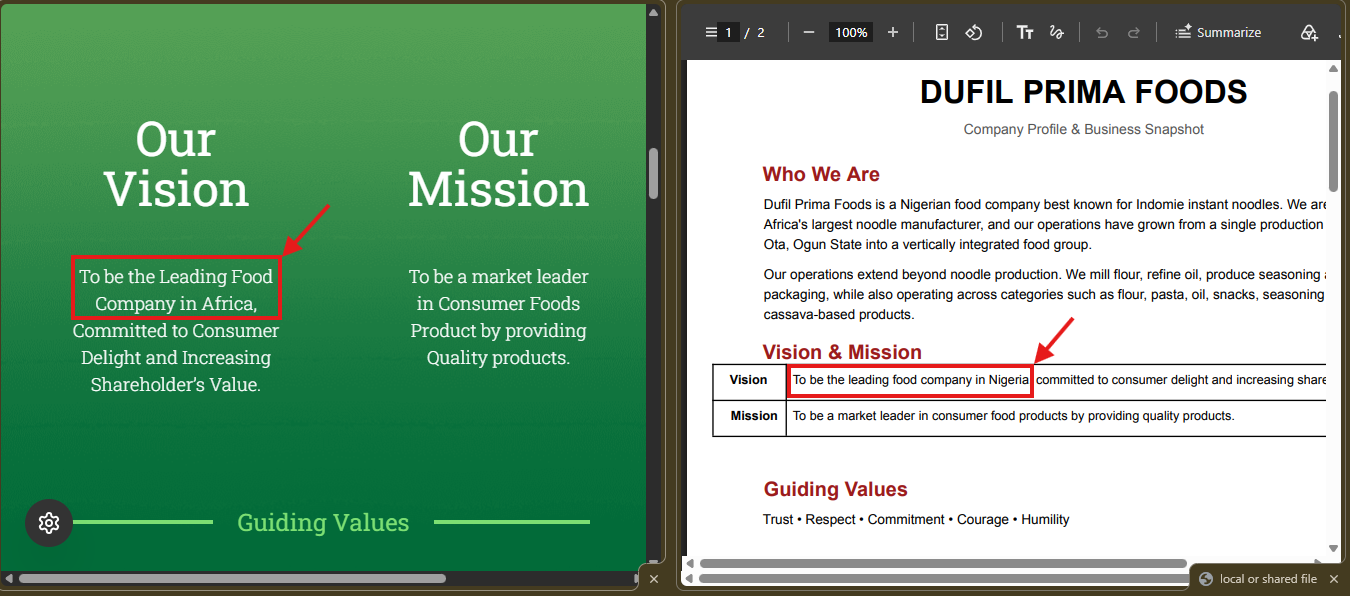
I proofread and compare website and PDF.
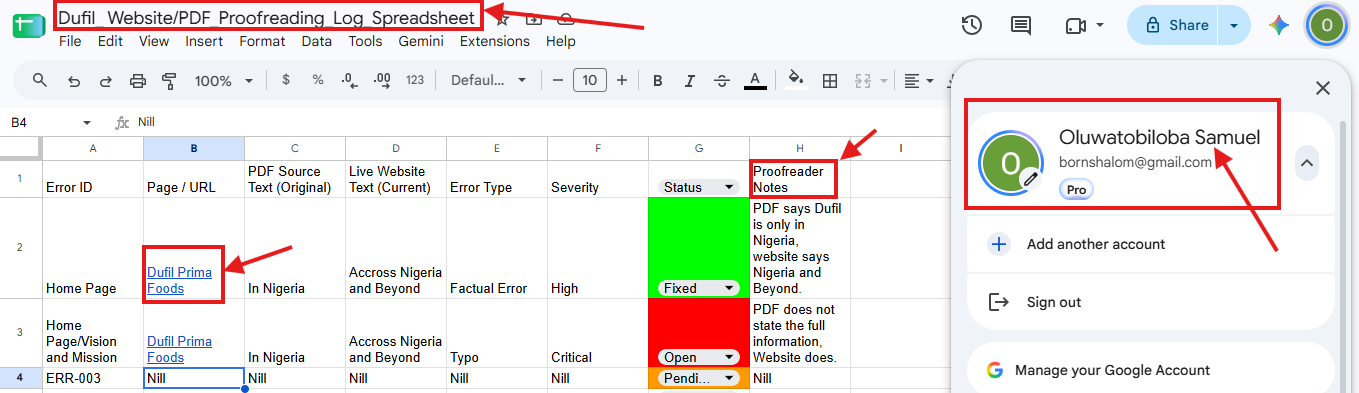
I log Web and PDF comparison results on Google Sheets for the team.
Three real edits. Three real lessons.
Proofreading is not one skill. It is three: catching what is wrong, listening to what a client actually wants, and checking that a document and a live page still agree with each other.
A typo is small until it's the first thing a reader notices. Proofreading is not one last glance. It's the difference between a brand that seems careless and one that earns trust.
Before the Momoh Jimoh & Associates About page went live, I read through it one more time and caught small factual and phrasing inconsistencies that a first read had missed. I fixed each one before the page was published, so the version the public reads today is the corrected one.
The real estate valuation guide blog post started longer and more formal than the client wanted. After I sent the first draft, the client asked for a shorter, more personal introduction. I rewrote the opening lines to feel like a conversation instead of a brochure, kept every edit tracked in Google Docs so the client could see exactly what changed, and ran Grammarly over the final version before publishing. The published post is the one you can read live today.
As a voluntary consistency check for Dufil Prima Foods, I compared their published website copy against their official PDF document, side by side in Chrome's split view. I found some factual inconsistency between the two versions, and logged the full comparison in a shared Google Sheet for the team, so both documents could be brought back in line with each other.